
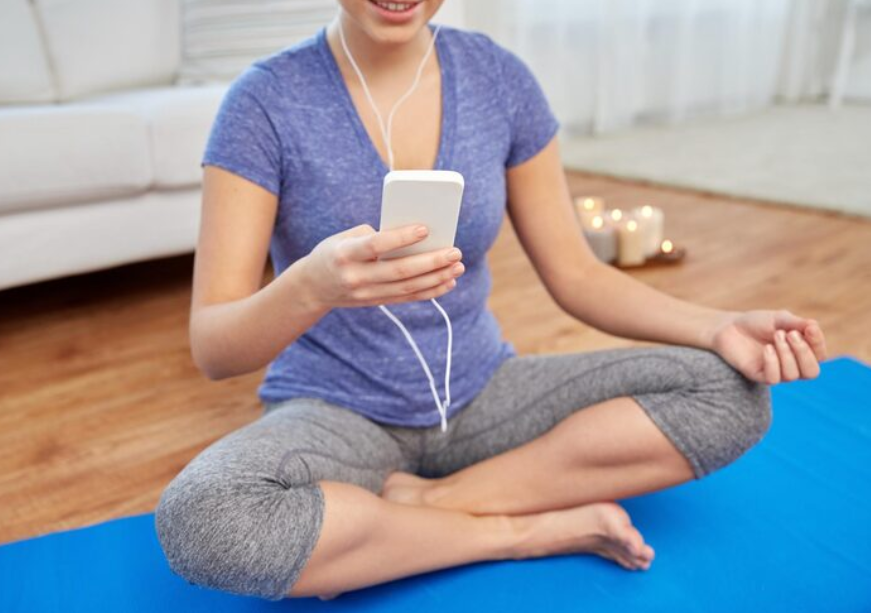
If you’ve been looking for a free breathing exercise app, the chances are good that you’ve come across at least one with a circle that expands and contracts on screen. The visual is doing most of the work for you. Instead of counting in your head while trying to slow your breath while also being stressed about whatever made you open the tool in the first place, you just follow the shape with your eyes. It sounds trivial. In practice it does most of the work.
This post explains why visual breath animations help, what features actually matter, and how to use them well.
Why Counting Is Hard
The mind is not a metronome. Even people who meditate daily find that holding a count for more than a minute or two is harder than it looks. Three things conspire against it.
Attention drifts. You start at 4-4-4-4 and by cycle four you’re somewhere around 4-3-5-2 without noticing. The slow pace itself is part of the problem. The slower the rhythm, the more space the mind has to wander.
Stress hijacks counting. If you’re already anxious and focused on the breath in any deliberate way, your working memory is partly busy with whatever stresses you out. Holding a count on top of that is a lot.
Counting takes attention away from sensing. The whole point of breath practice is to feel the breath, not to do math. Counting pulls attention into the cognitive side of the brain, which is the opposite of what you want.
A visual takes care of all three problems. You don’t have to remember the count. The animation handles it. You can stop tracking numbers and start sensing the breath.
How a Good Breath Animation Works
The basic design is a circle that grows during the inhale, stays at full size during a hold, and shrinks during the exhale. The size of the circle maps directly to lung volume. Your eyes follow it. Your breath follows your eyes.
A few details matter.
The expansion should be smooth, not stepped. Choppy animation breaks the trance-like quality of the practice. A continuous smooth scale is much easier to follow.
The colors should signal phase. Green for inhale, amber or gold for hold, blue for exhale is a common scheme. The eye picks up the color shift before the brain consciously registers the phase change.
The text label should match the visual. “Inhale” during expansion. “Hold” during pause. “Exhale” during contraction. Redundant but useful.
The count should be visible but unobtrusive. A small number ticking down lets you check in if you want, without dominating attention.
The interface should be minimal. No notifications. No streak counters. No social features. Anything beyond the breath itself is a distraction.
What Makes a Free Breathing Exercise App Worth Using
A few criteria that separate the useful tools from the cluttered ones.
It runs in the browser. No download, no app store, no signup. Friction kills practice. A bookmark that opens in one tap is the goal.
It has the standard patterns as presets. Box 4-4-4-4, coherent 5-5, 4-7-8, and 4-6 should all be one click away. Custom seconds should also be adjustable.
It works on phone, tablet, and desktop. Same URL, same behavior. So you can open it in bed, at your desk, or on the train without changing tools.
It includes a sleep mode. For bedtime use, the screen should dim automatically after a minute so it doesn’t keep you awake.
It doesn’t require account creation. The thing should work the first time you open it, without entering an email.
It’s actually free, not freemium. No premium tier that locks the patterns you actually want.
A surprising number of tools fail one or more of these. One free option that meets all of them is the tool at breathsync.org, which also adds a small feature most other tools don’t: a globally synchronized breath that shows how many other people are practicing at the same second. Small things, outsize effect on motivation.
How to Use a Breath Animation Well
A few practical notes.
Look at the animation for the first few cycles. Once you have the rhythm in your body, you can close your eyes and let the practice continue from feel. The visual is a training wheel, not a permanent dependency.
Keep the screen at arm’s length, not pressed up against your face. You want your eyes relaxed, not focused tight.
Reduce screen brightness, especially for evening or night sessions. Bright light at 11pm is the opposite of what you want before sleep.
Don’t watch the count. The numbers are there if you need them, but most people get more out of just following the circle and ignoring the digits.
Use the same pattern for at least a week before judging it. Each pattern has a different feel. You can’t tell what 4-7-8 does to you in a single session.
When the Animation Helps Most
Visual breath tools earn their keep in specific situations.
During anxiety spikes. When the mind is racing, having an external visual to anchor on is more useful than trying to count internally.
For long sessions. Beyond about five minutes, attention drifts in any breath practice. The animation extends the time you can stay on rhythm.
When you’re tired. End of the day, late-night insomnia. Counting feels like work. Following a circle doesn’t.
When you’re new to the practice. The first few weeks are when most people quit because they can’t tell if they’re doing it right. The animation removes that doubt.
When you want to practice with others. Group sessions work better when everyone is following the same visual cue at the same pace. Some tools let you scale this beyond a single room, which is a nice extension if the felt sense of breathing with others matters to you.
A Two-Minute Starting Practice
If you want to try this right now, here’s the simplest possible version.
Open a free breathing exercise tool with a visual circle.
Pick 4-6 (inhale 4, exhale 6, no hold).
Set the session for 2 minutes.
Follow the circle. Don’t count. Don’t analyze. Just breathe at the pace it shows you.
When the timer ends, sit for ten more seconds before getting up.
That’s it. Two minutes, one tab, a circle, and your breath. The simplest tool in your stress toolkit, and one of the most useful.